
Extensions for Piwigo
Change appearance with themes. Add features with plugins. Extensions require just a few clicks to get installed. 350 extensions available, and growing!

Spotlight
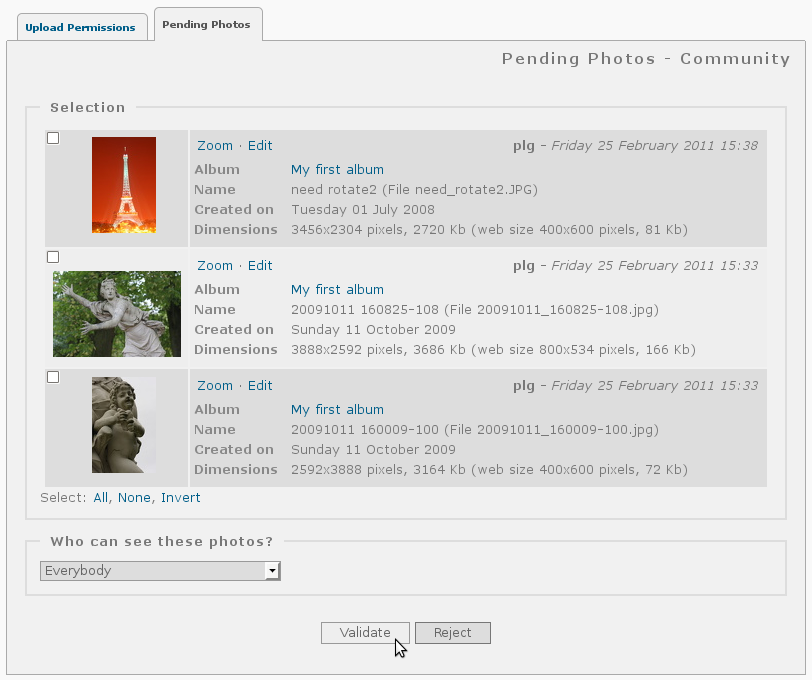
Community
'Community' allows users of your gallery to create albums and add photos - with an option for administrators to moderate submissions.
Highest rated
Tag Groups
Create group of tags. For example tags {country:USA, country:France, weather:sunny, weather:cloudy} will create groups {country, weather}.
Most downloaded

UserAdvManager
Options added for advanced users management: - Send an email confirmation of registration to new registered users - Advanced management of the registration confirmation (sending reminder emails, setting a time limit to confirm registration, ... ) - Advanced management of "Ghost" users (users who haven't visited the gallery since x days) with reminder emails - Automated management of users waiting for registration validation and for ghost users - Requires a nickname for guest comments - Allows application of an email provider exclusion list (ie : @hotmail.com, @msn.com,...) to new registrations ... And many more features to discover ;-) The following capabilities are only necessary and activated for versions of Piwigo less than 2.x: - Email address mandatory for new users - Not allow the same email address to be used for separate accounts - Make user accounts case insensitive to prevent multiple account creation using only case differences
Most recent
Tag Groups
#19 better display for Bootstrap darkroom
Spotlight
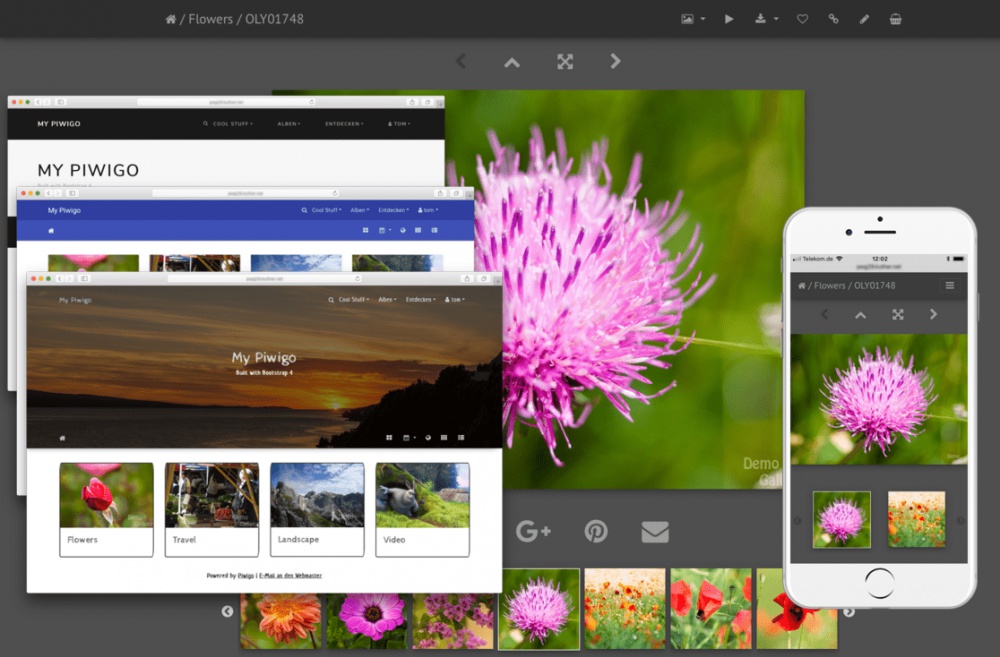
Bootstrap Darkroom
A feature-rich and mobile-ready theme based on Bootstrap 4. Features: * Over 30 color styles -> Bootswatch -> Material Design -> Custom low-contrast dark color scheme based on Lightroom® colors * Full screen slideshow view using PhotoSwipe -> Supports auto play -> Supports HTML5 video -> Album thumbnails can be linked to PhotoSwipe directly (like smartpocket) * 100% mobile ready -> fully responsive Navbars, Carousel, PhotoSwipe slideshow, video content -> async/ondemand loading of carousel & PhotoSwipe content, adaptive image size selection, swipe & tap events * Carousel album navigation on the picture page using Slick slider * Video support using native HTML 5 video widget * Optional hero image or jumbotron banner * Different layouts for infos on picture page * Tons of configuration options Requirements: * PHP >= 5.3 Recommended plugins for best mobile experience: * GThumb+ or gdThumb (for best 'available screen space usage') * RV Thumbnail Scroller (to keep initial page load size small and allow for easy 'swipe through') Compatible with 'User collections', 'Expiry date' & 'Batch downloader' plugins
Highest rated
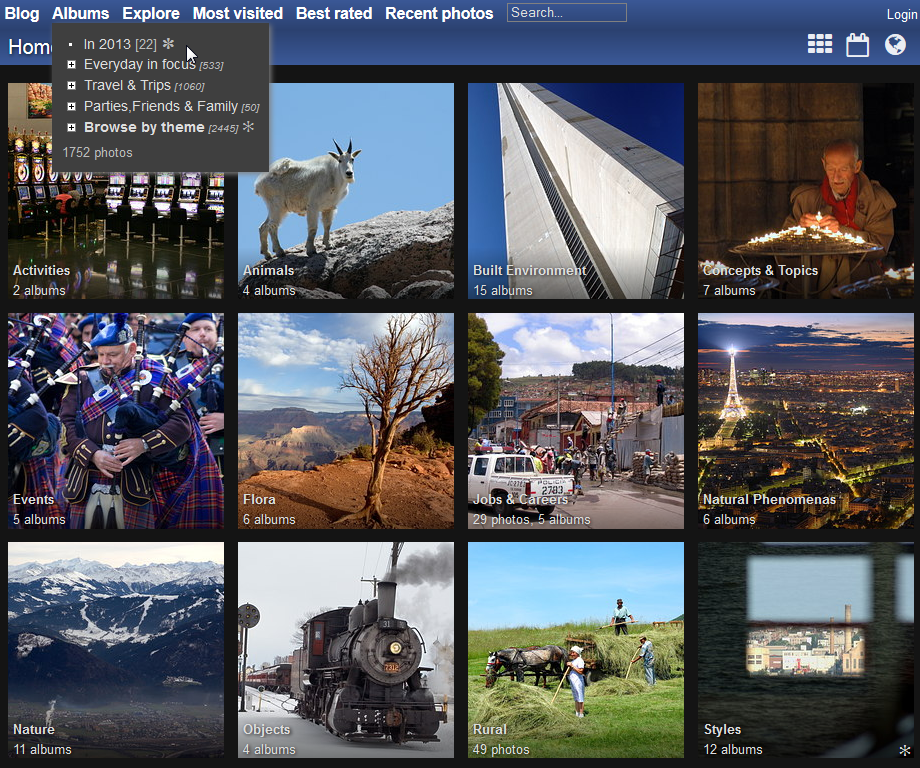
modus
- responsive layout, retina aware - comes with several color flavors (including clear and dark colors) - horizontal menu (becomes vertical on mobile devices and small screens) - automatic photo size selection on photo page (retina aware, graceful degradation on non javascript browsers, active from the first hit ...) - thumbnails full row layout (no space lost, à la plugin GThumb, retina aware) Incompatible with the following plugins: AutomaticSize
Spotlight
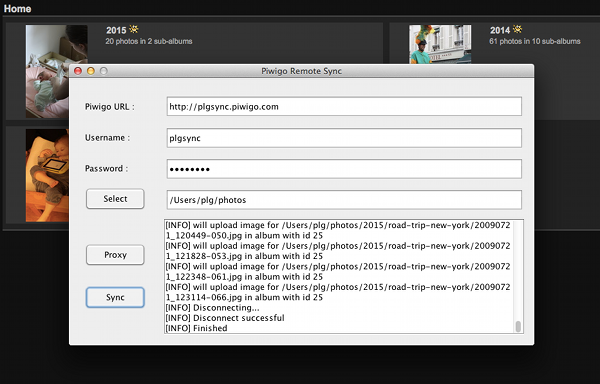
Piwigo Remote Sync
Piwigo Remote Sync is an uploader for the Piwigo photo gallery software. This tool is able to upload a whole folder hierarchy. If you run it again, only new folder/photos will be uploaded.
Highest rated
Piwigo Import Tree
Remote synchronization. piwigo_import_tree.pl script takes a directory as input and sends it to Piwigo. The directory can contain sub-directories. You can execute the script twice on the same directory and it will only send what's new to Piwigo.